
This guide explains how to install WebSitePanel, a free web server management panel for Windows Server.
The software requires a Windows VPS (virtual private server) or another Windows Server system for installation. We suggest:
First, configure the pre-requisites required on a Windows Server 2008 R2 installation for WebSitePanel installation. Download the following ‘Web Platform Installer’ to assist with component installation:
http://www.microsoft.com/web/downloads/platform.aspx
Once installed, open the Platform Installer. In the search box on the top right hand corner find “Web Deployment” and select the Web Deployment Tool 3.0 without bundled SQL Support option item to install the MS Deploy library. This library is required in order for WebsitePanel to integrate with the Microsoft Web App Gallery module.
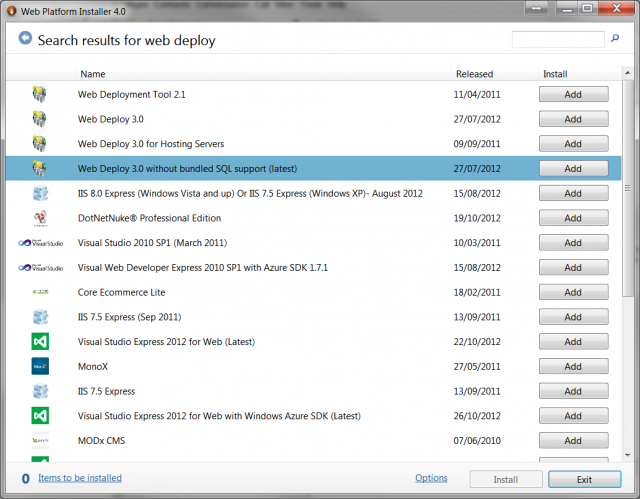
Click back from Search option.
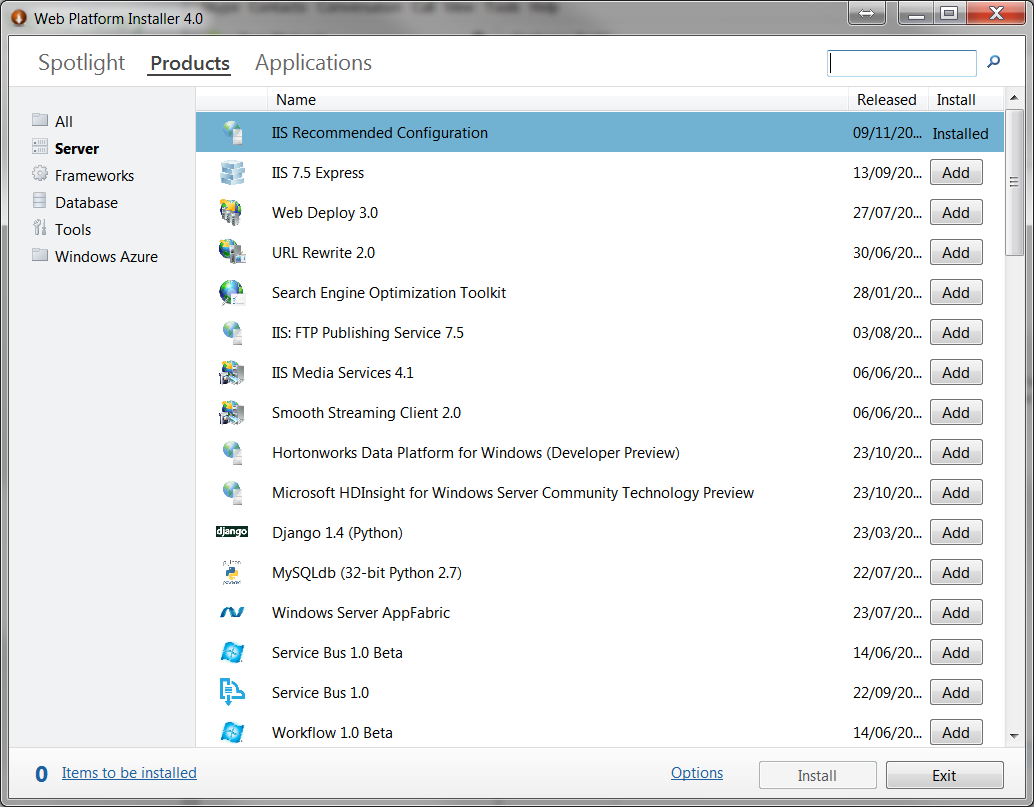
Click on the Products link and choose the Server Category. Select the following components for installation:
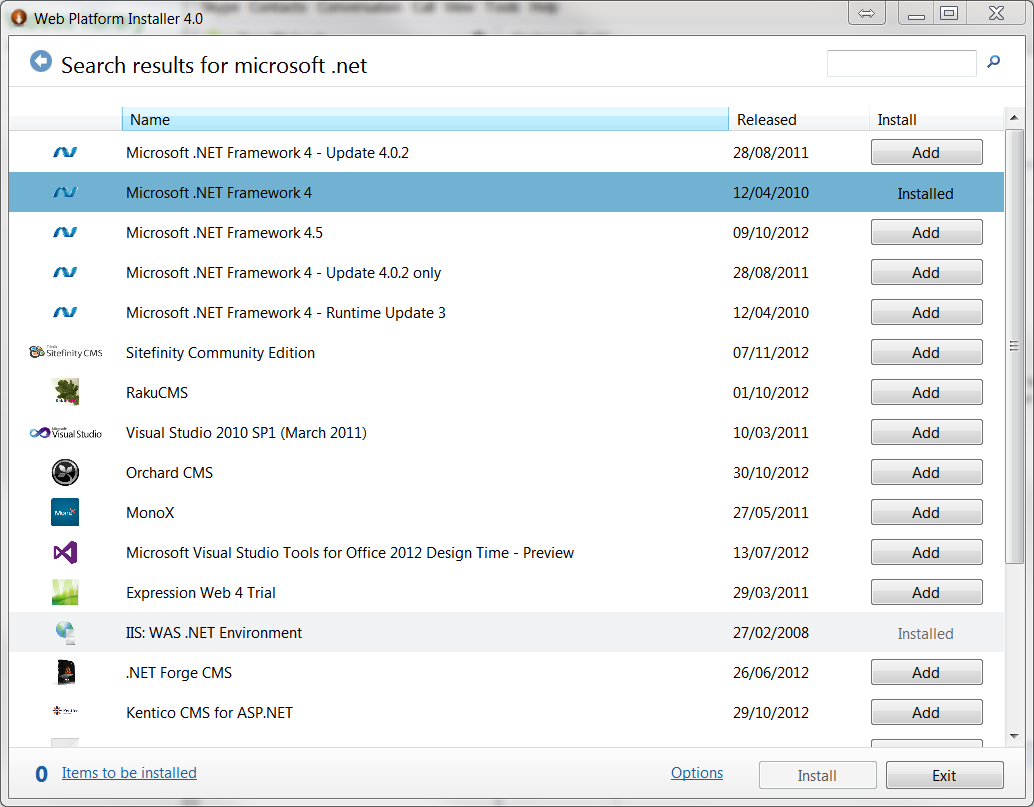
Choose the Frameworks Category and select the following components for installation:
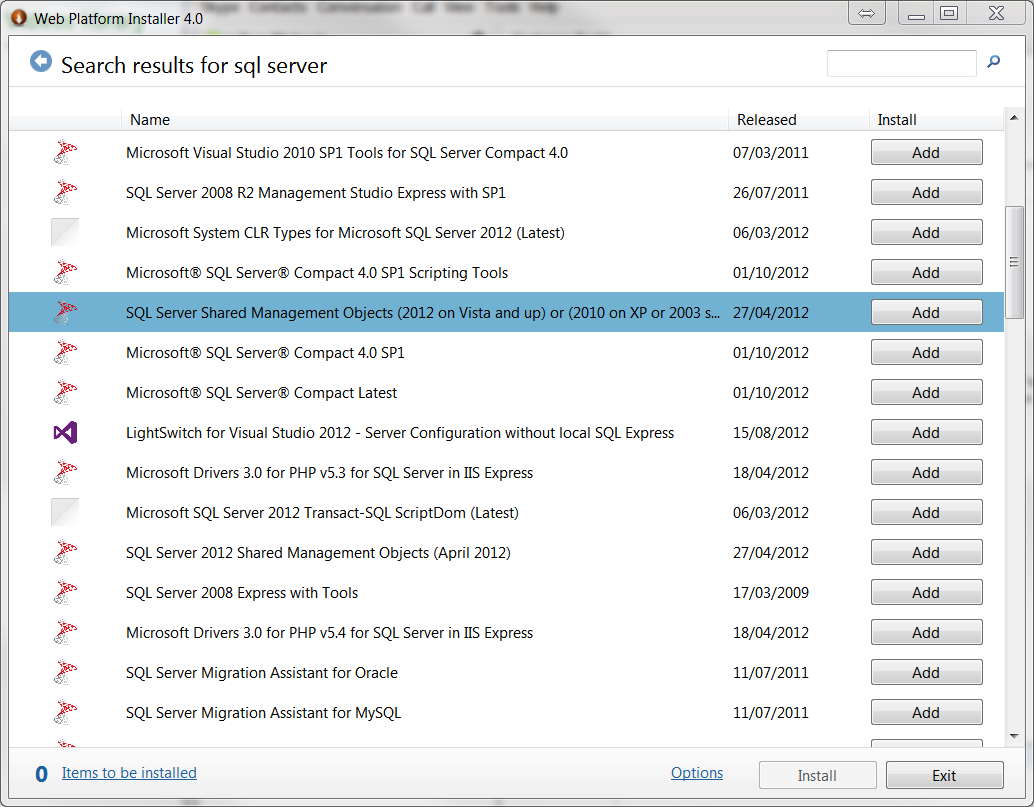
Choose the Database Category and select the following components for installation, the items marked in BLUE should only be installed on your intended (separate) database hosting server, it is not recommended to install them on the web server.
Click Install to start the installation process for the selected components. Before SQL Server 2008 is installed, you will be asked about its security mode. SelectMixed Mode Authentication and then specify a password for the sa account.
Once the installation has completed, the server should be rebooted. WebSitePanel is now installed and accessible via the web interface.
Lightning-fast VPS hosting with enterprise SSD storage, global data centers, and 99.99% uptime. Built for developers, trusted by enterprises.
support@solvps.com
1-888-256-8213