
You might find yourself wondering how to view IP addresses that have accessed RDP on your Windows VPS, or how to review the RDP access log to see who logged in last. This quick how-to will show you how to use the Event Viewer in Windows Server.
First, open Event Viewer (you can search in the Start menu). Then, navigate to:
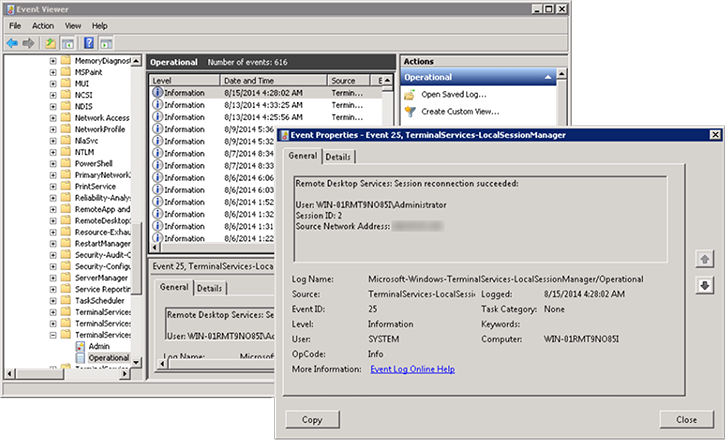
Applications and Services LogsMicrosoftWindowsTerminalServices-LocalSessionManager
Under that view, double-click to open the ‘Operational’ view. You can double-click the entries to see more information about when they were logged, including the origin IP address:
This process applies to:
Lightning-fast VPS hosting with enterprise SSD storage, global data centers, and 99.99% uptime. Built for developers, trusted by enterprises.
support@solvps.com
1-888-256-8213