
You may receive a warning like the following when connecting to your Windows VPS. The error will be similar in Mac OS X, as well: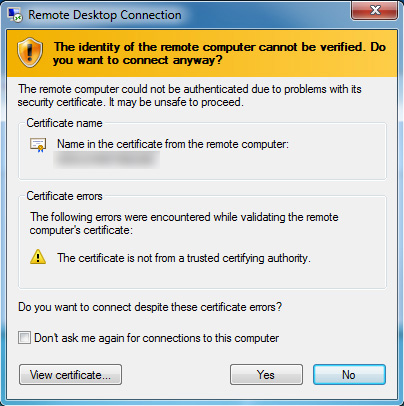
It’s OK to connect. You can click “Yes” and continue to connect to the remote desktop.
Note: Your VPS “cannot be verified” because the security certificate used by the VPS is self-generated and self-signed at the time of VPS installation. Despite this warning, the RDP connection to your VPS is encrypted and highly secure. There should be no concern about connecting to the VPS, because you are its Administrator!
Lightning-fast VPS hosting with enterprise SSD storage, global data centers, and 99.99% uptime. Built for developers, trusted by enterprises.
support@solvps.com
1-888-256-8213